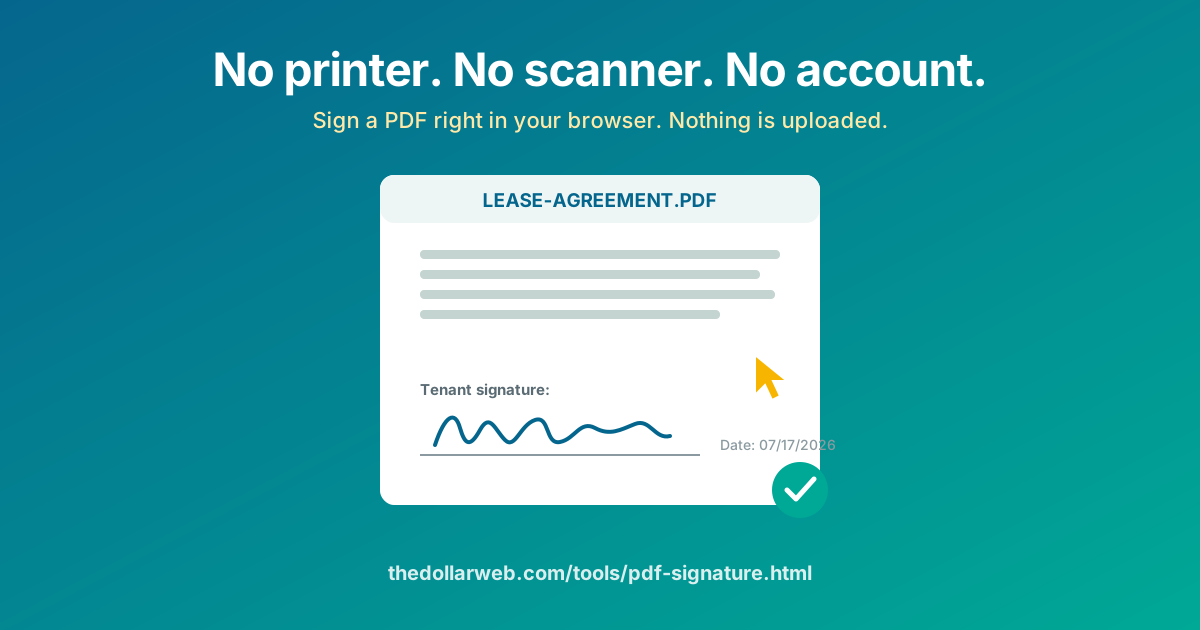
The lease arrives at 4 pm: "please sign and return today." You are not near a printer. You should not need one. The PDF Signature tool at The Dollar Web puts your signature on the document in about two minutes, in your browser, for free, and the contract never leaves your device.
The print-sign-scan ritual, retired
Everyone knows the ritual: print the PDF, sign page 12 with a pen, photograph or scan every page back in, and email a blurry, sideways, 30 MB reincarnation of what was once a clean document. It survives because the alternatives seemed to be either owning Adobe Acrobat or creating an account on an e-sign platform that treats a one-time lease signature like an enterprise procurement workflow.
The actual job is small: put an image of your signature in the right spot on a PDF and save it. That is a two-minute browser task, and it does not require your lease to visit anyone's server.
How to sign, step by step
- Open the PDF Signature tool and load your PDF. It is read locally; nothing is transmitted.
- Create your signature. Draw it with a mouse, trackpad, or your finger on a phone. Not happy with the wobble? Clear and redraw until it looks like you, or type your name and let a script font do the work.
- Place it. Navigate to the signature page, drop the signature on the line, then drag and resize until it sits naturally. Precision placement is the difference between "signed digitally" and "looks pasted on."
- Add the extras if the document asks. Dates and initials are part of most signature blocks; place them the same way.
- Download the signed PDF and send it back as a clean, straight, readable file.
Draw, or type? An honest comparison
- Drawing looks most like a wet signature, and on a phone or with a stylus it can be excellent. On a laptop trackpad it takes two or three attempts to get one you like. Worth it for documents where appearance matters.
- Typing in a script font is instant, always tidy, and legally just as much a signature when you intend it to be one. It is the right choice for the fourth permission slip this month.
Is this actually legal?
For everyday agreements, yes. The US E-SIGN Act (2000) and equivalent laws in most countries give electronic signatures the same standing as ink for the great majority of contracts: leases, job offers, freelance agreements, consent and intake forms, sales agreements. What matters legally is intent to sign and the parties' agreement to do business electronically, not whether the mark came from a pen.
When you genuinely need an e-sign platform, and when you don't
DocuSign-style services solve a real problem, but it is an organization's problem: routing one document through five signers in order, chasing the laggards automatically, and producing an audit trail for compliance. If that is your job, use one.
None of that describes signing a PDF someone emailed you. For the individual on the receiving end, the platforms mean creating an account, agreeing to their terms, and parking your contract on their servers so you can do something your browser does locally. The number of leases signed through a full e-sign platform because the tenant did not know they had another option is very large.
E-sign platform, for one signature
- Account required, free tier metered
- Your contract lives on their servers
- Multi-step "envelope" workflow for one field
- Emails you about their product forever
Browser-only signing
- No account, free, no per-document fees
- The contract never leaves your device
- Draw or type, place, download, done
- Works offline once the page has loaded
Two-party documents: the counter-signing flow
Plenty of agreements need both signatures: a private car sale, a freelance contract, a roommate agreement. The flow that works: sign it yourself first, then send the signed PDF to the other party with a one-line instruction, "add your signature here, free and no account: thedollarweb.com/tools/pdf-signature.html". They sign the same way and send it back complete.
This is exactly the flow built into the site's Bill of Sale Generator, which drafts the agreement, lets the seller sign, and hands the buyer a link to counter-sign, so a complete, two-signature document exists without either party creating an account anywhere.
The full paperwork pipeline, no uploads anywhere
Signing is usually the last step of a chain, and every link has a browser-only version: fill the form fields with the PDF Form Filler (it types into interactive fields, or adds text anywhere on a flat form), merge supporting pages with the PDF Combiner, sign here, and if the result is too big for the portal, compress it on the way out. Your paperwork goes from inbox to submitted without ever existing on a server in between.
Why "never uploaded" matters most right here
Of everything you might do to a PDF, signing involves the most sensitive ones: employment terms, rent amounts, home addresses, salaries, sometimes an ID scan on the next page. The tool's trust strip says your documents never leave your device, and that is a statement about architecture, not a promise about behavior: the signing engine runs inside the page, so there is no server that could see your contract even in principle. The deeper story is in our client-side processing explainer.
Sign that PDF now
Draw it or type it, place it precisely, download. No printer, no account, no upload.
Open the PDF Signature Tool Browse All PDF ToolsCommon questions
How can I sign a PDF without printing and scanning it?
Open the PDF in a browser-based signature tool, create your signature by drawing it or typing it in a script font, drag it onto the signature line, and download the signed file. The Dollar Web’s PDF Signature tool does all of this on your own device; the document is never uploaded anywhere.
Do I need a DocuSign account to sign a PDF someone emailed me?
No. If someone sent you a PDF and just needs it back signed, you can sign it yourself for free and reply with the file. Paid e-sign platforms earn their keep when a company needs to orchestrate many signers with audit trails, not when one person needs their name on a lease.
Is a drawn or typed signature on a PDF legally valid?
In the US (E-SIGN Act) and most other jurisdictions, electronic signatures are broadly valid for everyday agreements like leases, offers, and consent forms when the parties intend to sign. A handful of documents such as wills often still require wet ink or notarization. For anything high-stakes, confirm what the receiving party accepts.
Is it safe to upload a contract to a free e-sign website?
A contract is usually names, addresses, salaries, and terms, exactly what you should be slowest to hand to an unknown server. A browser-only signer removes the question: the file stays in your browser’s memory, gets signed there, and downloads from there. Nothing exists server-side to be retained or breached.
How do I sign a PDF on my phone?
The tool works in mobile browsers: open the PDF, draw your signature with your finger (a stylus helps but is not required), place and size it on the line, and download. Typing your signature in a script font is the tidy fallback if finger-drawing looks shaky.
What if the other party still needs to sign after me?
Sign first, then send the signed PDF to them with instructions to add their signature the same way. This counter-signing flow is exactly how the site’s Bill of Sale Generator hands documents from seller to buyer, and it works for any two-party agreement.