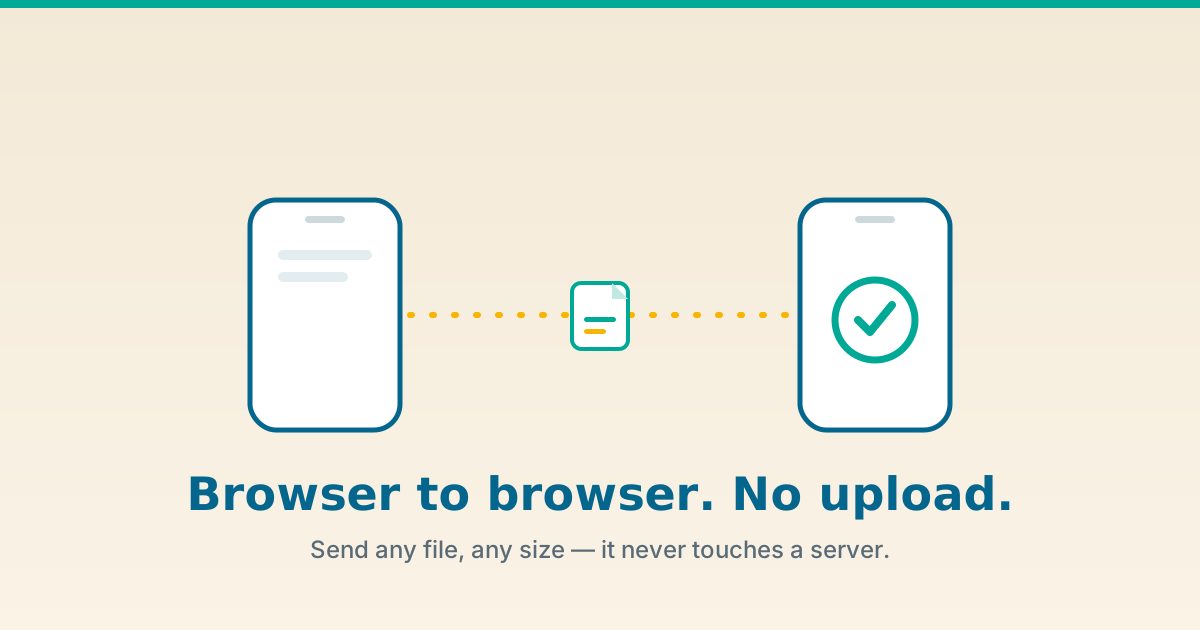
Here is a fact that surprises almost everyone: when you "send a file" with email, WeTransfer, Google Drive, or Dropbox, your file gets uploaded to a stranger's computer first, sits there as a complete copy, and is only then downloaded by the person you meant to send it to. There is another way — older than the cloud, faster than the cloud, and far more private. Your file can take the shortest path on the internet: straight from your browser to theirs, with nothing in the middle. That's what The Dollar Web's Peer-to-Peer File Sharing tool does, and this is the complete field guide to how and why.
The 30-second version
- Zero-upload file transfer. Your file streams directly from one browser to another over WebRTC. It is never uploaded to a server, never stored in a cloud bucket, and never logged.
- No real size limit. Because nothing is being stored, there's no 25 MB email cap or "upgrade for files over 2 GB" paywall. The limit is your patience and your connection.
- End-to-end encrypted by default. WebRTC wraps every byte in DTLS encryption, even on coffee-shop Wi-Fi.
- Ephemeral by design. The transfer exists only while both browser tabs are open. Close a tab and the file isn't sitting anywhere waiting to leak.
- The catch: both people need to be online at the same time, and speed depends on the slower of the two connections. It's a live handoff, not a drop-box.
The upload tax nobody talks about
Every mainstream way to send a file charges what we'll call the upload tax — a hidden cost you pay in time, privacy, and sometimes money, just to move bytes from point A to point B.
Email attachments cap out around 25 MB, so the moment you have a real video, a design export, or a folder of photos, you're locked out. The cloud services that "solve" this do it by becoming the middleman: you upload the entire file to their servers, wait for the upload to finish, get a link, and send the link. Your recipient then downloads the whole thing back down again. Your one file made two full trips across the internet and spent the gap sitting on infrastructure you don't control.
That waiting room has consequences. Your file is now a complete copy on a third party's disk. It's subject to that company's retention policy, its data-mining clauses ("to improve our services"), its breach risk, and its government-request process. For a vacation photo, fine. For a signed contract, a medical scan, a passport copy, an unreleased master, payroll, or source code — the upload tax is a genuine liability.
What browser-to-browser transfer actually is
Peer-to-peer (P2P) file transfer skips the middleman entirely. Instead of uploading to a server and having your recipient download from that server, the two browsers open a direct connection to each other and the file streams across it. The technology that makes this possible inside an ordinary web page — no app, no plugin, no install — is called WebRTC, and it's already built into Chrome, Edge, Firefox, and Safari on every device you own.
The mental model is simple: it's less like mailing a parcel through a depot, and more like handing someone a USB stick across a table — except the "table" is the internet, and the handoff is encrypted. We like to call it the file that never sits on a server.
How it works under the hood
This is the part competitors gloss over and curious users actually want. Here's the real sequence, in plain English, the moment you share a transfer link.
1. Signaling: the introduction
When you open the tool and pick a file, your browser registers with a signaling server and gets a short random ID. That ID is baked into the link (or QR code) you share. When your recipient opens it, their browser contacts the same signaling server and says, "I'd like to talk to peer #abc123." The server relays connection offers and answers between the two — like two people exchanging phone numbers through a mutual friend. It only carries metadata, never file bytes.
2. ICE, STUN, and the NAT problem
Here's the genuinely hard part of P2P that the cloud hides from you: most devices don't have a public address. Your laptop sits behind a home router doing NAT (Network Address Translation), which is a bit like an office with one phone number and a hundred extensions — the outside world can't dial your extension directly. To get around this, WebRTC uses a process called ICE (Interactive Connectivity Establishment). A STUN server acts like a mirror: your browser asks it "what does my public address look like from out there?" and uses the answer to find a path the two peers can use to reach each other directly. This is the quiet magic that lets two home laptops connect with no server in between.
3. TURN: the fallback relay
Sometimes the two networks are so locked down — strict corporate firewalls, carrier-grade NAT, symmetric NAT — that a direct path simply can't be found. Rather than fail, WebRTC falls back to a TURN server, which relays the encrypted stream between the peers. Two things to know: it's slower (the bytes take a detour), and crucially, the relay only ever sees encrypted data, not your file. The end-to-end encryption holds even when a relay is involved.
4. DTLS: encryption you don't have to think about
Every WebRTC data channel is secured with DTLS (Datagram Transport Layer Security) — the same family of cryptography that powers HTTPS, adapted for real-time data. This isn't an optional setting you can forget to turn on; in WebRTC, unencrypted is not even allowed. So whether you're on home fiber or sketchy airport Wi-Fi, the bytes on the wire are gibberish to anyone listening.
5. The data channel and 16 KB chunks
Once the encrypted connection is live, the file is sliced into small pieces — The Dollar Web streams it in 16 KB chunks — and sent across the data channel one after another, then reassembled on the other side. Chunking is why the tool can move a file far larger than would ever fit in memory at once: it's a steady stream, not one giant lump. You watch progress climb in real time, because you're literally watching the bytes arrive.
Why this is the most private way to send a file
Privacy isn't a marketing word here; it's a property of the architecture. Walk through the threat model and you'll see why a browser-to-browser handoff beats every upload-based service on the dimensions that matter.
- No copy on a server. There is no bucket, no temp folder, no "files older than 7 days are deleted" policy — because the file is never stored anywhere in the first place. You can't breach data that doesn't exist at rest.
- No account, no profile, no log. You don't sign in, so there's no identity attached to the transfer and no history building a picture of who sends what to whom.
- End-to-end encrypted in transit. DTLS means even the network you're on — and any relay, if one is used — sees only ciphertext.
- Ephemeral by design. Close either tab and the connection collapses. The transfer is a live moment, not a permanent artifact someone can stumble on later.
- Nothing to subpoena. A company can only hand over what it has. A service that never receives your file has nothing to give.
This is the same philosophy behind the rest of The Dollar Web's tools — we wrote about it in depth in our guide to client-side processing — taken to its logical conclusion for the one job that genuinely needs two people: moving a file between them.
P2P vs the alternatives, side by side
Every method of moving a file makes a different trade. Here's the honest comparison.
| Method | File touches a server? | Size limit | Account needed | Best for |
|---|---|---|---|---|
| Email attachment | Yes (mail servers) | ~25 MB | Yes | Small documents |
| Cloud link (Drive/Dropbox) | Yes (stored copy) | Quota-based | Yes | Files you'll re-share over time |
| WeTransfer-style upload | Yes (temporary copy) | 2 GB free / paid tiers | Sometimes | One-off large sends to anyone |
| USB drive | No | Drive size | No | Same room, no internet |
| Chat app (Slack/WhatsApp) | Yes (stored + compressed) | Small, often re-compressed | Yes | Casual quick shares |
| Browser-to-browser (P2P) | No | No artificial limit | No | Private, large, one-time sends |
The cloud-upload way
- Upload the whole file, then wait
- A full copy sits on someone else's disk
- Size caps and "upgrade to send more"
- Account, link expiry, retention policies
- Your file is part of their data exhaust
The browser-to-browser way
- Stream straight to the recipient, live
- No copy stored anywhere, ever
- No artificial size limit
- No account, nothing to expire
- Encrypted end to end, then gone
How to send a file with no upload, step by step
Open the Peer-to-Peer File Sharing tool. The whole thing is one screen.
- Pick your file. Drop it on the page or browse for it. Any type, any size — it stays on your device for now.
- Share the link or QR code. The tool generates a one-time link with a random session ID. Send it to your recipient through any channel you like — chat, SMS, email. (You're only sending a link, not the file.)
- Have them open it in their browser. No app, no sign-up. Their browser and yours quietly negotiate a direct, encrypted connection.
- Watch it stream. The file flows peer to peer in real time, with a live progress bar. Bigger file or slower connection simply means a longer stream — there's no cap forcing you to stop.
- Close the tab when it's done. The connection ends and nothing lingers. There's no copy to delete because there was never a copy to begin with.
Who this is for
- Anyone sending sensitive documents. Lawyers moving contracts, clinics sharing scans, HR sending offer letters, accountants handling tax files — the kinds of documents that should never sit in a random cloud bucket.
- Creators with huge files. Video editors, photographers, music producers, and 3D artists whose exports laugh at a 25 MB email limit.
- Developers and IT. Shipping a build, a database dump, or a log bundle to a colleague without standing up a share or pasting it into a chat that keeps it forever.
- Cross-device transfers. Moving a file from your laptop to your phone, or to a friend across the room, without cables, AirDrop lock-in, or an account.
- Privacy-conscious everyone. If "why did that need to be uploaded at all?" has ever crossed your mind, this is the answer.
The honest limits (and how to work around them)
A guide that only lists upsides isn't a guide, it's an ad. Here's where peer-to-peer asks something of you in return.
- Both people must be online at the same time. This is a live handoff, not a drop-box. If you need someone to grab a file next Tuesday, a cloud link is the better tool. P2P is for "you here, me here, let's move this now."
- Speed is the slower of the two connections. Cloud services feel fast because their data centers have enormous pipes. A direct transfer is only as quick as the weaker end. To speed a big handoff up, compress images or zip a folder with the File Zipper first.
- Strict firewalls can block the direct path. Some corporate or carrier networks refuse direct peer connections; WebRTC then relays through a TURN server — still encrypted, just slower. If a transfer won't connect at all, try a different network or device.
- The public signaling broker is shared. The free matchmaking server has no uptime guarantee and can rate-limit during heavy use. If a handshake fails, wait a moment and retry.
- Verify who's on the other end. Anyone with the link can connect. Share it through a channel you trust, and confirm with your recipient out-of-band (a quick text) that they're the one who connected.
A field glossary of browser-to-browser transfer
Bookmark this section — it's the vocabulary that makes every other article on the topic readable.
- WebRTC
- Web Real-Time Communication. The browser standard that lets two devices open a direct, encrypted channel for data, audio, or video — no plugin required. It's the engine behind P2P file transfer and most video calls.
- Peer-to-peer (P2P)
- A connection where two devices talk directly to each other as equals, instead of both talking through a central server.
- Signaling server
- The matchmaker. It introduces two browsers and relays the details they need to connect, then bows out. It never carries the file.
- NAT
- Network Address Translation — how your router shares one public address among many devices. It's why peers can't normally reach each other directly, and why STUN exists.
- ICE
- Interactive Connectivity Establishment — the negotiation process WebRTC uses to find the best working path between two peers.
- STUN
- A lightweight server that tells a browser what its public address looks like from the outside, so two peers can find a direct route.
- TURN
- A relay server used only as a fallback when a direct path is impossible. It forwards the encrypted stream — and sees nothing but ciphertext.
- DTLS
- Datagram Transport Layer Security — the encryption WebRTC applies to every data channel by default. There is no "off" switch.
- Data channel
- The encrypted pipe over which arbitrary data (your file, in 16 KB chunks) flows once two peers are connected.
Common questions
Is there really no file size limit?
There's no artificial cap, because nothing is being stored on a server that would need to charge you for space. The practical limit is time and connection quality — a multi-gigabyte file is entirely possible; it just streams for longer. Streaming in 16 KB chunks means the transfer isn't bounded by how much memory a single "upload" could hold.
Is it actually private, or is that marketing?
It's architectural. The file's contents never reach the signaling server or The Dollar Web. The transfer is end-to-end encrypted with DTLS, and it leaves nothing behind once the tabs close. The honest caveat is the one we stated: a brief, content-free handshake passes through a public broker so the two browsers can find each other.
Do both people need to be online at once?
Yes. This is the defining trade-off of peer-to-peer: it's a live, direct handoff. If you need a recipient to download whenever they get around to it, a stored cloud link suits that job better. P2P is unbeatable when both of you are present.
What happens if the connection drops mid-transfer?
The transfer stops, because there was no server holding a half-uploaded copy to resume from. Re-open the link and start again. On flaky networks, zipping the file first (so it's one stream) and using a stable connection both help.
Does it work on phones?
Yes — modern mobile Safari and Chrome support WebRTC. Phone-to-laptop and phone-to-phone transfers work, subject to the same network rules as desktops.
Can someone intercept the file?
Not by sniffing the network — DTLS encryption makes the bytes unreadable in transit, even on shared Wi-Fi. The realistic risk is sharing the link with the wrong person, so treat the link like a key and send it through a channel you trust.
The bigger idea
For two decades, "send a file" quietly came to mean "upload a file." We accepted the upload tax — the wait, the stored copy, the account, the size cap — because the alternative wasn't easy to reach. But the browser on your desk grew up. It can now open an encrypted, direct connection to another browser anywhere in the world and stream a file across it, with no server in the middle and no copy left behind. That's not a smaller version of the cloud. It's a different, older, and in many ways better idea: your file, taking the shortest path on the internet, seen by no one but the two people who are supposed to see it.
Send a File the Zero-Upload Way
Pick a file, share a link, watch it stream browser to browser. No cloud, no account, nothing left behind.
Open Peer-to-Peer File Sharing Browse All Tools