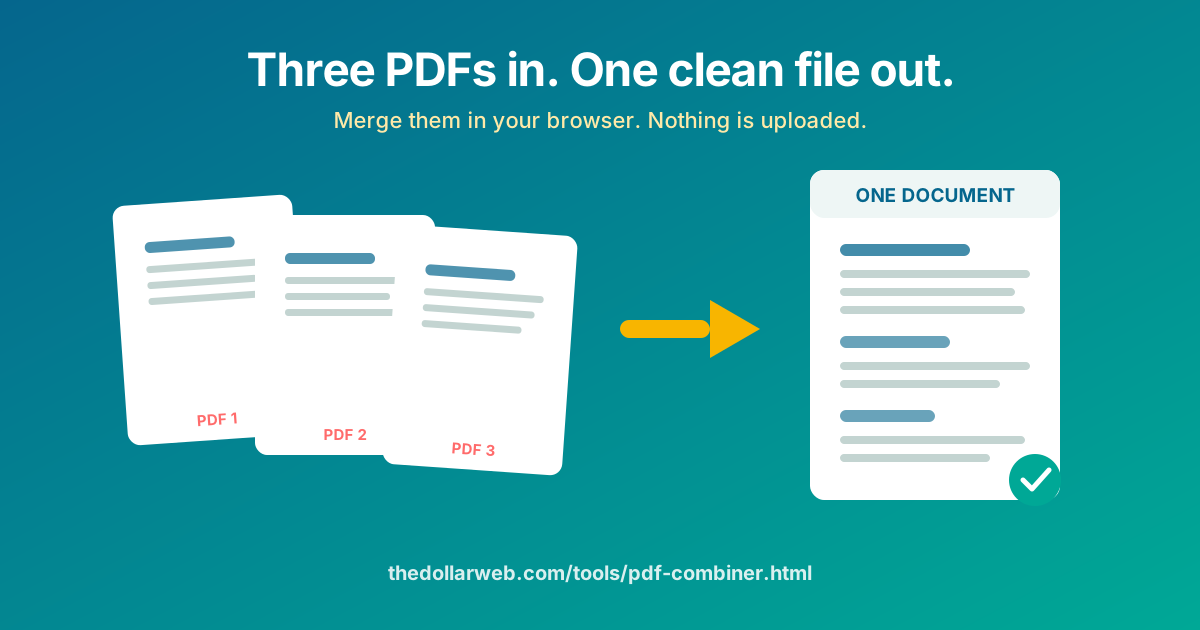
Sign three pages, scan them on your phone, and now you have three PDFs that need to be one. Or a lease plus its addendum. Or twelve receipts for one expense report. The PDF Combiner at The Dollar Web joins them in seconds, in your browser, for free, and your documents never leave your device.
The five-second version
- Open the PDF Combiner in any modern browser, on a computer or a phone.
- Add your PDFs. Drag them in together or pick them one by one; they appear as a list.
- Put them in order. The merged file follows the list from top to bottom, so arrange it the way the final document should read.
- Combine. The join happens on your device in a moment, even for large files, because nothing has to travel to a server and back.
- Download the single PDF and send it as one clean attachment.
That is genuinely all of it. The rest of this post is about the details that make the difference between a merged file and a professional one, and about why the usual merge-PDF websites are the wrong place for anything you would not print and leave on a train.
Why this beats the upload-based mergers
Search "merge PDF" and the top results share a business model: you upload your documents to their servers, the server joins them, and you download the result. The free tier is metered, the premium tier removes the meter, and your files make a round trip through infrastructure you know nothing about.
Typical merge-PDF website
- Uploads every document to their server
- Daily task limits or file-size caps on the free tier
- Files sit in cloud storage until a deletion job runs
- Terms of service you have never read govern your contract
- Useless without a connection
The Dollar Web's PDF Combiner
- Runs entirely in your browser
- No page caps, no task meter, no watermark
- Free, no account
- Your documents never leave your device
- Works offline once the page has loaded
Think about what people actually merge: signed employment contracts. Mortgage packets. Medical records for an insurance claim. Scans of IDs stapled to an application. These are close to the most sensitive documents a person handles, and the standard advice sends them through a stranger's server to perform an operation your own browser can do locally. The technical story of how browsers got this capable is in our plain-English post on client-side processing.
Getting the order right the first time
Every merged PDF has an order, and the tool follows your list top to bottom. Three habits save re-doing it:
- Name files with numbers before you start. "01-cover, 02-contract, 03-exhibit" sort themselves everywhere, including in the picker.
- Reorder in the list, not in your head. After adding files, read the list once out loud as a table of contents. It takes five seconds and catches the swapped-exhibits mistake that otherwise ships to a client.
- Check the first page of the download. Open the merged file and confirm it starts where the document should start. The number one merge regret is discovering the cover letter is page 40.
Common merge jobs, and the right recipe for each
Scans from a phone
Phone scanning apps love to produce one PDF per page. Add them all, order by page number, merge. If the scans came out as JPG or PNG instead, run them through the File to PDF Converter first; it also runs in your browser, so the pipeline stays private end to end.
A contract plus its exhibits
Merge the signed contract, then each exhibit in the order the contract references them. If an exhibit arrives as a Word file, convert it to PDF first so the formatting locks in place.
An expense report's receipt pile
Merge the report first, receipts behind it in date order. Your reimbursement processor will silently thank you. (If you are still assembling the report itself, the Expense Report Generator builds it in the browser too.)
Application packets
Rental, visa, school: these usually specify an order in the instructions. Follow it exactly; the person reviewing 200 packets notices the ones they do not have to reshuffle.
When you need the opposite, or a little more
- One PDF that should be several: the PDF Splitter cuts a document apart by page numbers.
- Right pages, wrong order inside one file: the PDF Page Rearranger shuffles pages within a single PDF.
- Merged file too big to email: the PDF Compressor shrinks it. We wrote a companion guide: how to compress a PDF without uploading it.
- Needs a signature before it goes out: the PDF Signature tool places yours precisely, no printer involved.
The whole family lives on the PDF tools page, and every one of them follows the same rule: your documents stay on your device.
A note on what "no upload" actually means here
The page you load contains the merging engine itself, a JavaScript PDF library that your browser executes locally. When you pick files, the browser reads them into memory on your machine, the library assembles a new PDF from their pages, and the download comes straight out of that memory. At no point does a byte of your documents touch our servers; there is no server-side PDF service to touch. You can verify the spirit of this yourself: load the page, disconnect from the internet, and the merge still works.
Merge your PDFs now
Drag in the files, set the order, download one clean document. Nothing leaves your device.
Open the PDF Combiner Browse All PDF ToolsCommon questions
How do I merge PDF files without uploading them to a website?
Use a merger that does the work in your browser instead of on a server. The Dollar Web’s PDF Combiner reads your files locally with JavaScript, joins them on your own device, and hands you the download. Nothing is transmitted, so there is nothing to be stored, scanned, or leaked.
Is there a limit on how many PDFs I can combine?
No. Because your own computer does the work, there is no server bill to protect with page caps or per-day meters. Combine two files or forty; the practical limit is your device’s memory, which handles typical document work with ease.
Can I change the order of the PDFs before merging?
Yes. Add your files, then reorder them in the list until the sequence is right; the merged PDF follows that order exactly. It is worth a five-second check before downloading, because page order is the number one merge regret.
Can I merge Word documents or images into the PDF too?
Convert them first, then merge. The File to PDF Converter on the same site turns documents and images into PDFs in your browser, and the merger will happily join the results. Both steps stay on your device.
Is it safe to merge confidential contracts online?
Only if the tool never receives them. Upload-based mergers put your contract on someone else’s server, subject to their retention policy and their breaches. A browser-only merger never has that problem: you can even load the page, go offline, and merge with the network cable out.