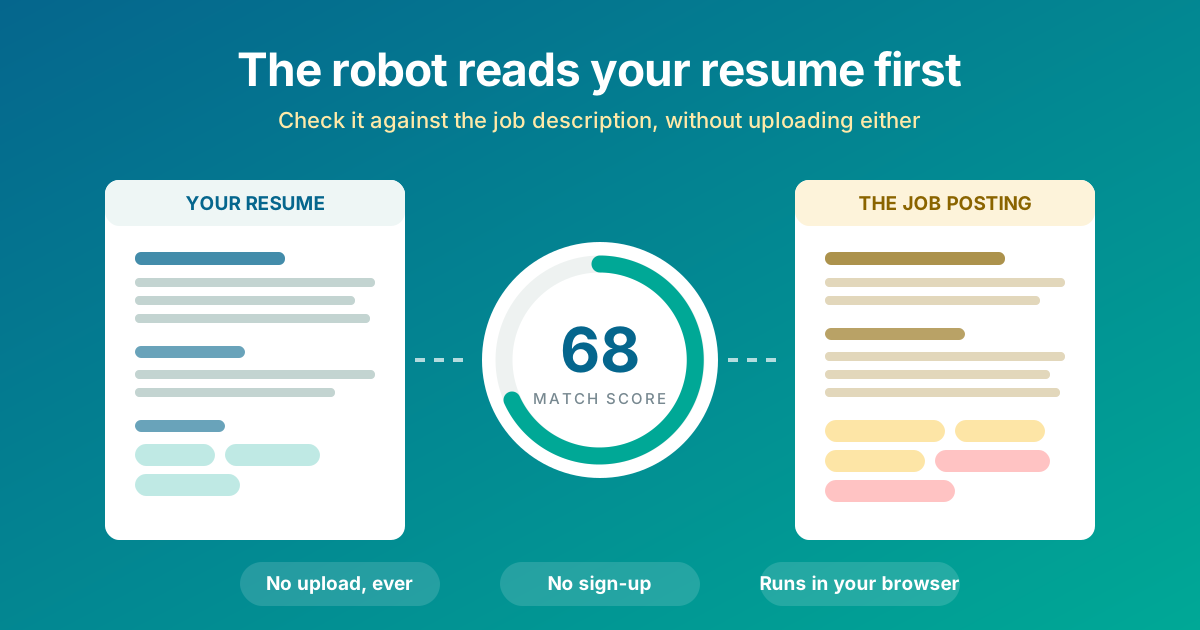
You spend an hour polishing a resume, send it into a job portal, and hear nothing. Not a rejection, nothing. Very often the reason is mechanical: the software that screened it was looking for words your resume never used. The Resume ATS Keyword Checker at The Dollar Web shows you that gap before you apply, and it does it without your resume ever leaving your computer.
What an ATS actually does with your resume
An applicant tracking system is the software companies use to collect and manage applications. When you hit submit, it parses your resume into plain text, files it into a database, and lets recruiters search, filter, and rank the pile. At larger companies a single opening can pull in hundreds of applications; nobody reads them all top to bottom.
Here is the part most advice gets wrong: the ATS usually is not "rejecting" you with some mysterious AI. It is doing something much dumber. A recruiter types the skills from the job description into a search box, and resumes that never use those words simply do not come up. Your resume was not rejected; it was never surfaced. The practical result is identical.
That reframes the problem. Beating the screen is not about tricks. It is about using the posting's vocabulary for skills you genuinely have, in a file the parser can actually read. Both halves are checkable before you apply.
The problem with most "free resume checkers"
Search "free ATS resume checker" and you will find polished sites that ask you to upload your resume, then show you a teaser score and ask for your email to see the rest. That is not a tool, it is a lead generator. Your resume, which contains your name, phone number, address, employer history, and education, is now sitting in a marketing database, and the "full report" is the top of a funnel for resume-writing services.
Typical online resume checker
- Uploads your resume to their servers
- Teaser score, email required for the rest
- Follow-up emails selling resume rewrites
- Your work history joins their database
- Terms of service you will never read
The Dollar Web's ATS Keyword Checker
- Reads the file in your browser, no upload
- Full results immediately, no email, no account
- Missing keywords ranked and copyable
- Your resume never leaves your device
- Works offline once the page loads
The reason it can work this way is that there is no server doing the analysis. Your browser extracts the text from the PDF or DOCX and runs the keyword engine on your own machine. We wrote about why this architecture matters in our post on client-side processing; a resume is close to the perfect example of a file that should never be casually uploaded.
How to check your resume, step by step
Open the Resume ATS Keyword Checker. If you want to see how it works before digging out your own resume, click the sample link and it loads a marketing resume plus a job posting with real gaps to find.
- Load your resume. Drop in the PDF or DOCX you actually submit, or paste the text. If your PDF turns out to be a scanned image with no text layer, the tool stops you right there, because an ATS would receive a blank page. That single warning has saved people months of silent rejections.
- Paste the job description. The whole posting, especially the requirements and qualifications sections. That is where the keywords live, and the tool weights those sections more heavily, just like a recruiter's search does.
- Click "Check my resume." The engine extracts the terms the posting emphasizes, filters out boilerplate (nobody needs "team player" flagged), and checks each one against your resume, tolerating word-form differences like managing versus management.
- Read the score for direction, not judgment. The dial tells you which band you are in. What matters more is right below it: the matched list with counts, and the missing list ranked by how much the posting cares. Starred terms come from the requirements section or a recognized hard-skills dictionary.
- Work the missing list honestly. For every missing keyword that names something you have actually done, add it: a line in your skills section, or better, rewritten into an experience bullet using the posting's exact words.
- Re-check and watch the score move. Paste your edited text and click re-check. The edit loop takes seconds, and it is weirdly satisfying.
Why the vocabulary gap exists at all
Almost nobody fails a keyword screen because they lack the skills. They fail because they described the skills in different words. You wrote "sent two campaigns a week in Mailchimp"; the posting says "email marketing." You wrote "tracked site performance"; the posting says "Google Analytics." A human would connect those instantly. A search box will not.
That is why the missing-keywords list is best understood as a translation aid. Your experience is the same; the words need to match the posting because the posting's words are what the recruiter types into the search field. Tailoring is not gaming the system. It is answering the question in the language it was asked.
The three resume-killers, in order
1. The unreadable PDF
A resume that was scanned, exported as an image, or built in a design tool that outputs pictures of text is invisible to an ATS. It looks perfect to you and arrives blank. This failure mode is silent, total, and shockingly common with older resumes. The checker extracts your PDF's text the same way the real systems do; if it reads yours, they can too.
2. The vocabulary mismatch
Covered above, and it is the everyday one. The fix is the missing-keywords list plus ten minutes of honest rewriting per application.
3. The clever layout
Multi-column tables, text boxes, and infographic resumes can scramble into word salad when parsed, with dates separated from the jobs they belong to. Parsers have improved, but the safe play is a clean single-flow layout with conventional headings: Experience, Education, Skills. If you need a rebuild, our Resume Builder produces exactly that kind of ATS-readable, text-based PDF by design.
And no, the white-text trick does not work
The old folk hack of pasting the job description into your resume in invisible white text is worse than useless now. The parser reads raw text, so your hidden paragraph is completely visible to the system, to any recruiter who copies your resume text into notes, and to the duplicate-content flags some platforms run. It reads as dishonesty because it is. The legitimate version of the same idea, real keywords for real skills placed where a parser can see them, is what this tool helps you do.
The per-application workflow
Tailoring per posting is the single highest-leverage resume habit, and it is exactly the chore this tool shrinks to minutes:
- Keep one master resume with everything you have done.
- For each application: paste the posting, check, and skim the missing list.
- Fold the true keywords in, re-check, submit the tailored version.
- Old resume trapped in a PDF? PDF to Word makes it editable again.
- Finish the application with the Cover Letter Generator, which handles the other document the same private way.
A resume is exactly the file that should never be uploaded
Think about what a resume is: your full name, phone number, email, city, employer history with dates, education. It is a doxxing kit with nice formatting. Uploading it to an unknown site to get a score, before you have even applied anywhere, is a bad trade, and the sites asking are mostly harvesting leads for paid rewrites.
This checker was built so the trade never happens. The file is opened by your own browser, the analysis runs on your own device, and you can switch off your Wi-Fi after the page loads and it keeps working. The trust strip at the top of the tool is a description of the architecture, not a slogan.
Try the Resume ATS Keyword Checker
Score your resume against the job you actually want. No upload, no email, no sign-up.
Open the ATS Checker Build an ATS-Friendly ResumeCommon questions
Do ATS systems really auto-reject resumes?
Mostly they rank rather than reject. Recruiters search and filter inside the ATS, and resumes that do not use the posting's vocabulary simply never surface. The practical effect is the same as rejection, which is why matching the posting's actual keywords matters so much.
What is the best free ATS resume checker with no sign-up?
One that does not take your resume from you. Most checkers upload your resume and gate the results behind an email capture because the checker is really a lead generator. The Dollar Web's Resume ATS Keyword Checker runs entirely in your browser: no upload, no account, no email, and you see the full results immediately.
Can an ATS read my PDF resume?
If the PDF contains real text, yes. If it is a scanned image or was exported as a picture, the system sees a blank page. The checker extracts your PDF's text the same way ATS software does, so if it can read your file, so can they, and if it cannot, it warns you loudly.
How do I tailor my resume to a job description quickly?
Run the checker, then work the missing-keywords list: for each term that is true for you, add it to your skills section or rewrite an experience bullet using the posting's exact wording. Re-check and watch the score move. The whole loop takes minutes per application.
Does hiding keywords in white text trick an ATS?
No, and it can hurt you. Parsers read raw text, so hidden text is fully visible to the system and to any recruiter who copies your resume into notes. Some systems flag it, and humans treat it as dishonesty. Real keywords for real skills are the only version of this that works.